Tech tutorial video maker — Terracotta studio style
Make a tech tutorial video with UI cards floating in light 3D on cream: numbered labels, rolling counters, terracotta plates and italic serif captions.
Có từ Starter, với tất cả 27 phong cách cùng phong cách riêng của bạn · xem trước được render bởi công cụ ClipOnIt
Phong cách này trông như thế nào
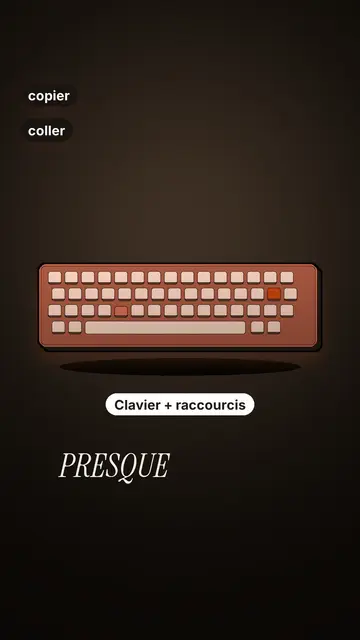
Terracotta studio explains a tool as if on a tidy workbench. On a cream background, interface cards float in light 3D, with real perspective and a warm shadow: an app window, a list of steps, an editing timeline, a sound wave drawing itself, a pad of keys lighting up one by one. At the top, a numbered label (“01”, the tool's name, “free”) says where you are and stays put while that tool is discussed. Each card enters on the word that names it.
The promise lands on a solid terracotta plate: an asterisk, an extra-bold grotesque title and an underlined italic serif word. The key number rolls in a giant counter above a floor of small cards in perspective. Small labels pop around the cards on the strong words, and captions run word by word in uppercase italic serif, the key word in terracotta. The end shows a numbered card and a button that lights up and then gets clicked.
Các chủ đề phù hợp
Avoid: stories carried by characters, places or emotions: the style shows interfaces, lists and numbers, not scenes from life. Also avoid topics without steps or a concrete tool; a card should always show something you can do.
- Tool tutorialsEach tool gets its numbered label and its cards: viewers follow the order without getting lost, even in 30 seconds.
- Tech tipsA shortcut, a hidden setting, a command: the lit keys and the window show the exact move.
- How things workA search, a sound, an edit: the card filling up shows the mechanism step by step.
- Free tools and app round-ups“3 free tools”, “5 apps to install”: the plate announces the number, the end card sums up the list.
Ý tưởng video theo phong cách này
- 3 keyboard shortcuts that save time
The lit keys, the closed-tabs window, the clipboard history and the card to keep.
- 5 free sites to find sounds
One label per site, the wave drawing itself, the counter of royalty-free sounds and the final list.
- How AI finds an image in one second
The typed search, the scrolling film strip, the image at the exact frame and the accuracy score.
- Editing a video on your phone
The timeline where clips stack up, the sound meter and the “Export” button clicked at the end.
Chỉ cần 1 cú nhấp
- Mở liên kết của phong cách này
Nút “Tạo video theo phong cách này” mở trình chỉnh sửa với phong cách này đã được chọn sẵn. Không có tài khoản thì đăng ký chỉ mất một phút và không cần thẻ.
- Viết chủ đề của bạn trong một câu
Một ý tưởng là đủ. Bạn cũng có thể dán văn bản hoặc, từ Starter, đọc to vào micro: video sẽ được xây dựng theo giọng của bạn.
- Xem lại rồi xuất video
AI viết các cảnh, chọn các thành phần của phong cách và canh thời gian theo từng lời, kèm giọng nói và phụ đề. Bạn chỉnh những gì chưa ổn, rồi file MP4 dọc sẽ sẵn sàng trong vài phút.
Bạn có thể điều chỉnh gì
For each scene you pick one to three cards out of twelve (window, list, timeline, wave, pads, counter, meter, score, numbered frames, search, film strip or a library element), the numbered label for that part, up to three small labels and the word where each one appears. A terracotta plate carries the promise, a number shot rolls the key figure, and the end card lists your tools with a button. Your own voice works too: everything locks onto the spoken words.
Được vẽ theo phong cách này
9 517 phần tử trong thư viện, tìm kiếm theo ý nghĩa. Một vài trong số đó:
 Nhân vật
 Thiết bị
 Tài liệu & địa điểm
 Dữ liệu
 Bối cảnh
 Giao diện
 Khoa học
 Hành động
Câu hỏi thường gặp
Miễn phí hay không, đầu ra, công dụng: câu trả lời ngắn gọn.
Do I need screenshots of my tools?
No. The engine draws the interface cards from your text: titles, lines, keys, numbers. No screenshot or brand logo is used.
Tôi có thể dùng giọng nói của riêng mình không?
Yes. Record yourself or import your audio: every card, every key and every caption word locks onto what you say.
How is it different from Clean interface?
Clean interface tells a story in OS-style windows with a clicking cursor. Terracotta studio is built for tutorials: cards in light 3D, a numbered label per tool, terracotta plates and counters.
Phong cách này có trong gói miễn phí không?
Không, có trong Starter ($29/tháng): 15 video không hình mờ mỗi tháng, tất cả 27 phong cách cùng phong cách riêng của bạn. Gói miễn phí cho 3 video mỗi tháng có hình mờ, trong 8 phong cách khác: Pixel News, Press paper, Comedy cartoon, Class sketch, Night tale, Social screen, Retro synthwave và Flat vector.
Nếu bạn thích phong cách này
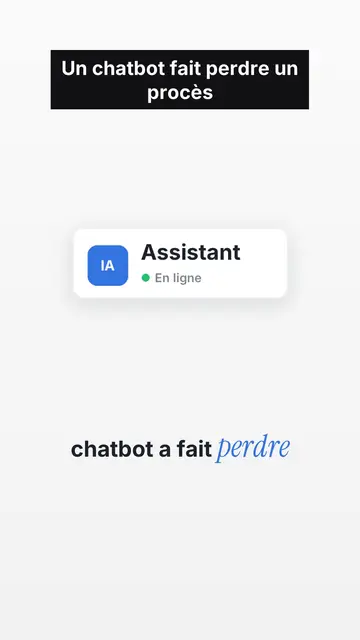
UI motion design explainer video
Clean interface style · The story played out in clean interface cards: windows, buttons, a cursor clicking on the word, key word in serif.
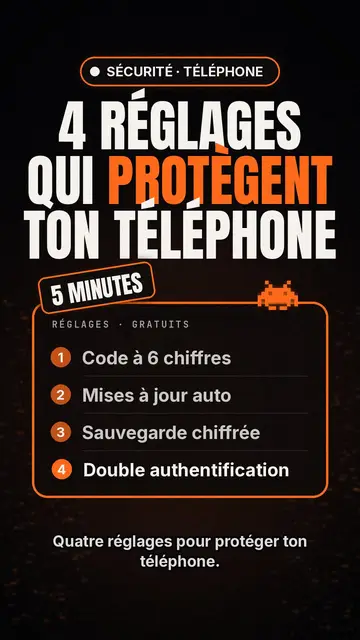
Trình tạo video danh sách top công nghệ
Tech list style · Thẻ công nghệ trên nền đen, huy hiệu phát sáng, danh sách đánh số.
Công cụ làm video kinetic typography
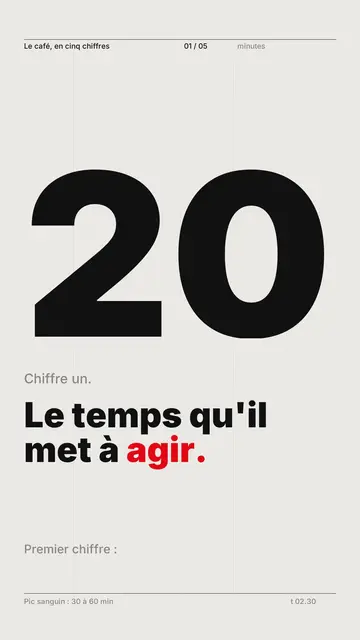
Phong cách Swiss grid · Swiss typography: nền giấy sáng, lưới chặt chẽ, số lớn, một màu tín hiệu duy nhất.
Ý tưởng của bạn, theo phong cách này
Viết một câu hoặc nói ra: phong cách đã được chọn sẵn khi bạn vào trình chỉnh sửa.