X-ray style video — X-ray lightbox style
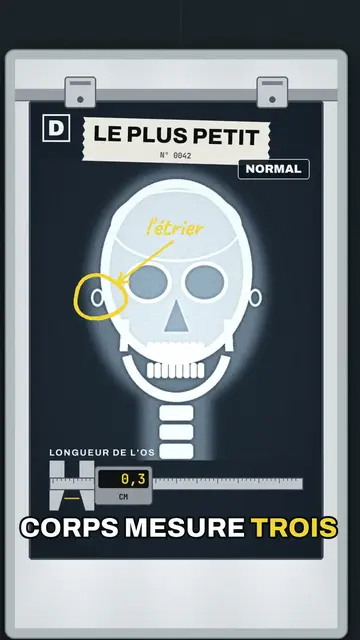
Make an X-ray video: grey-blue films on a lightbox that flickers on, bones circled in yellow marker, a caliper that measures and a round magnifier.
Included from Starter, with all 81 styles plus your own · preview rendered by the ClipOnIt engine
Phong cách này trông như thế nào
X-ray lightbox puts your topic on a wall of hospital lightboxes. The milky box flickers on, then grey-blue X-rays appear, held by clips at the top of the film: a skull, a hand, a knee, a spine, but also an animal, a swallowed object or a device seen from inside. The camera glides from one film to the next in a tracking shot along the wall.
The key part is circled in sulphur yellow marker with a handwritten note, as a radiologist would. The counter is a caliper that opens to measure, a round magnifier enlarges a detail, and a badge switches from NORMAL to ALERT or OFF depending on what is found. The ending can pull back to a wide shot of the whole lit wall.
Các chủ đề phù hợp
Avoid: topics with nothing to see inside, like an opinion or a method: the style lives on what is found under the surface. Also avoid real diagnoses; the videos explain, they do not replace a doctor.
- The human body and the skeletonBones show the way you see them at the doctor's.
- Measurements and sizesThe caliper gives a precise size, from the smallest bone to the largest.
- Animals seen from insideAn X-ray of a snake or a bird always surprises.
- Objects and what they hideA phone or a toy under X-rays reveals what is inside.
Ý tưởng video theo phong cách này
- The size of your bones
The caliper from 0.3 cm for the stirrup to 45 cm for the femur, a RECORD badge, then the spine in a wide shot.
- What dogs swallow
The dog's X-ray, the object circled in marker and the badge switching to ALERT.
- Why your knees crack
The knee film, the magnifier on the joint and the handwritten note.
- Inside your phone
The phone under X-rays, the battery circled and the caliper measuring.
Chỉ cần 1 cú nhấp
- Mở liên kết của phong cách này
Nút “Tạo video theo phong cách này” mở trình chỉnh sửa với phong cách này đã được chọn sẵn. Không có tài khoản thì đăng ký chỉ mất một phút và không cần thẻ.
- Viết chủ đề của bạn trong một câu
Một ý tưởng là đủ. Bạn cũng có thể dán văn bản hoặc, từ Starter, đọc to vào micro: video sẽ được xây dựng theo giọng của bạn.
- Xem lại rồi xuất video
AI viết các cảnh, chọn các thành phần của phong cách và canh thời gian theo từng lời, kèm giọng nói và phụ đề. Bạn chỉnh những gì chưa ổn, rồi file MP4 dọc sẽ sẵn sàng trong vài phút.
Bạn có thể điều chỉnh gì
For each scene you pick the X-ray film and the swallowed object if any, the camera target, the title, the measurement and the caliper with its value, the marker highlight and its note, the labels, the magnifier, the status badge and the patient name for the video.
Câu hỏi thường gặp
Miễn phí hay không, đầu ra, công dụng: câu trả lời ngắn gọn.
Are the X-rays real images?
No. Each X-ray is drawn by the engine in the style of a medical image, with no patient picture. The sizes stated in your scripts should still be checked.
Tôi có thể dùng giọng nói của riêng mình không?
Yes. Record yourself or import your audio: the lightbox comes on and the marker circles on your words, like a doctor commenting.
How is it different from Hidden heat?
Hidden heat shows the heat leaving a body, with a moving thermal camera. X-ray lightbox shows what is inside, as still X-rays on a light wall, with marker and measurement.
Phong cách này có trong gói miễn phí không?
No, it comes with Starter ($29/month): 15 watermark-free videos a month, all 81 styles plus your own. The free plan gives 3 videos a month with a watermark in 8 other styles: Pixel News, Press paper, Comedy cartoon, Class sketch, Night tale, Social screen, Retro synthwave and Flat vector.
Nếu bạn thích phong cách này
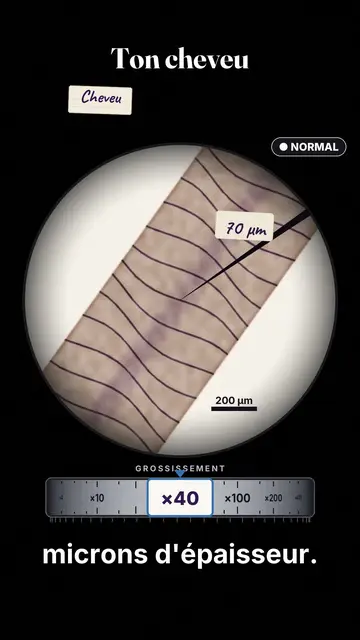
Watercolour microscope video
Under the microscope style · Everything inside a microscope eyepiece: stained slides, watercolour specimens, a ×40 to ×1000 dial.
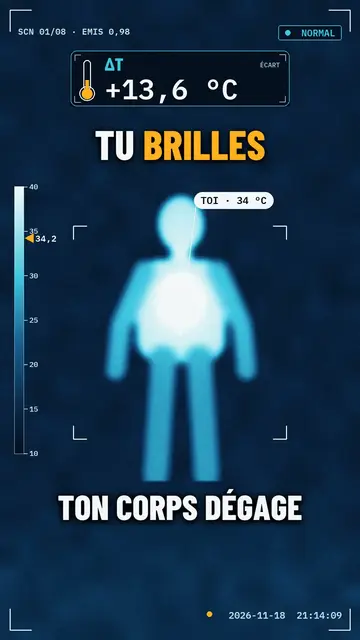
Thermal camera video
Hidden heat style · The world through an ice-fire thermal camera: heating silhouettes, a ΔT counter, an alert badge.
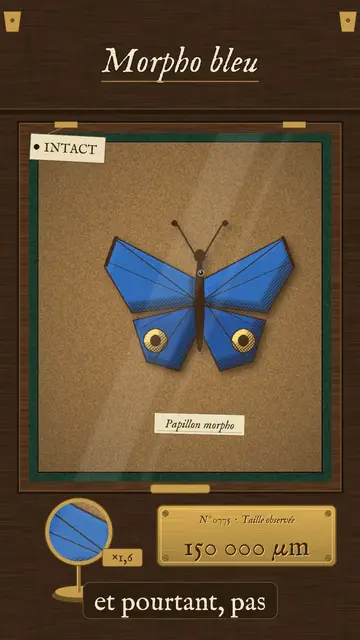
Vintage engraving video
Cabinet of curiosities style · An 18th-century naturalist's drawer: engraved specimens pinned on cork, Latin labels, a magnifier on a stand.
Ý tưởng của bạn, theo phong cách này
Viết một câu hoặc nói ra: phong cách đã được chọn sẵn khi bạn vào trình chỉnh sửa.